
MAV Downlink1.2 - Get APK
You'll be able to download in few seconds.
Publisher Description
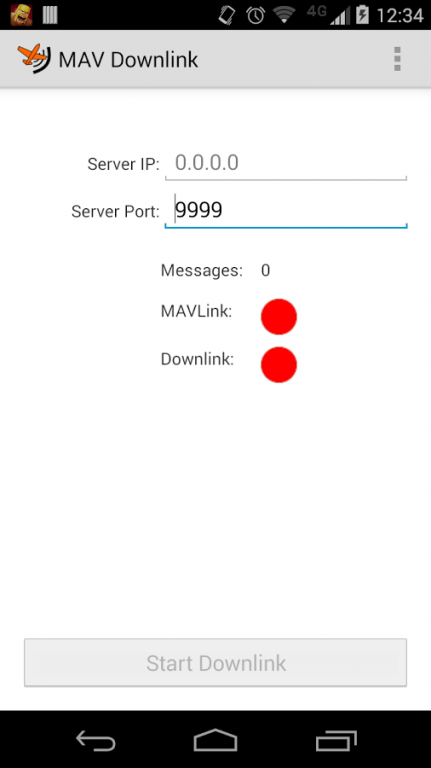
This is an app that allows you to use your Android smartphone to provide Internet telemetry to your MAVLink-compatible autopilot.
This grants you the ability to talk to your UAV via the standard telemetry interface no matter where it is, as long as it is within range of a 4G or 3G cellular network. You can fly a UAV in California from New York; or just fly in your field without buying expensive Telemetry hardware.
This has been tested on APM 2.6 but should be compatible with all autopilots and mission planning software that:
1) Uses MAVLink
2) Has an onboard USB to serial port communicating at 115200 Baud
3) Mission planner software that supports connectivity over TCP/IP
A manual for usage of the app can be found here:
http://appliedanalog.com/applieduas/mav_downlink_advanced_manual.pdf
The URL for the downlink server software referenced in this manual has changed. It can now be found here:
appliedanalog.com/applieduas/LocalMavMapper.zip
There is no warranty expressed or implied with this app. It is up to you to figure out how to use it and your responsibility to use it according to the laws of your local jurisdiction.
Both this Android app and the downlink server are open source applications. You can find the source, respectively, at:
https://github.com/neonbjb/MAV-Downlink
https://github.com/neonbjb/MAVDownlinkServer
About MAV Downlink
The company that develops MAV Downlink is Vesmar Utilities. The latest version released by its developer is 1.2.
To install MAV Downlink on your Android device, just click the green Continue To App button above to start the installation process. The app is listed on our website since 2014-08-06 and was downloaded 0 times. We have already checked if the download link is safe, however for your own protection we recommend that you scan the downloaded app with your antivirus. Your antivirus may detect the MAV Downlink as malware as malware if the download link to com.appliedanalog.uav.mavdownlink is broken.
How to install MAV Downlink on your Android device:
- Click on the Continue To App button on our website. This will redirect you to Google Play.
- Once the MAV Downlink is shown in the Google Play listing of your Android device, you can start its download and installation. Tap on the Install button located below the search bar and to the right of the app icon.
- A pop-up window with the permissions required by MAV Downlink will be shown. Click on Accept to continue the process.
- MAV Downlink will be downloaded onto your device, displaying a progress. Once the download completes, the installation will start and you'll get a notification after the installation is finished.
Program Details
System requirements
Download information
Pricing
Version History
version 1.2
posted on 2014-08-06
Adds Settings menu,Adds ability to control Serial Baud Rate
Disclaimer
External Download
We do not host MAV Downlink on our servers. We did not scan it for viruses, adware, spyware or other type of malware. This app is hosted by Galad and passed their terms and conditions to be listed there. We recommend caution when installing it.
The APK Download link for MAV Downlink is provided to you by apps112.com without any warranties, representations or guarantees of any kind, so access it at your own risk.
If you have questions regarding this particular app contact the publisher directly. For questions about the functionalities of apps112.com contact us.
